For most DJs, the humble USB stick has quietly become the single most important piece of kit in the bag. Since club and festival booths moved over to CDJs and standalone players, your entire music library now lives on a memory stick, which means the USB sticks for DJs you rely on can genuinely make or break a set. Choose badly and you risk a corrupted track list halfway through your slot. Choose well, and you have a fast, dependable library you can trust every time you plug in.
The catch is that not every USB stick is built for the job. A cheap drive from the supermarket is fine for moving the odd document around, but it is not designed for the demands of a live set, where files are read constantly and the stick is plugged and unplugged night after night.
In this guide, we will cover exactly what to look for in a DJ USB stick, why a backup is non-negotiable, and how a branded custom USB stick can work as both a reliable tool and a piece of your personal brand.
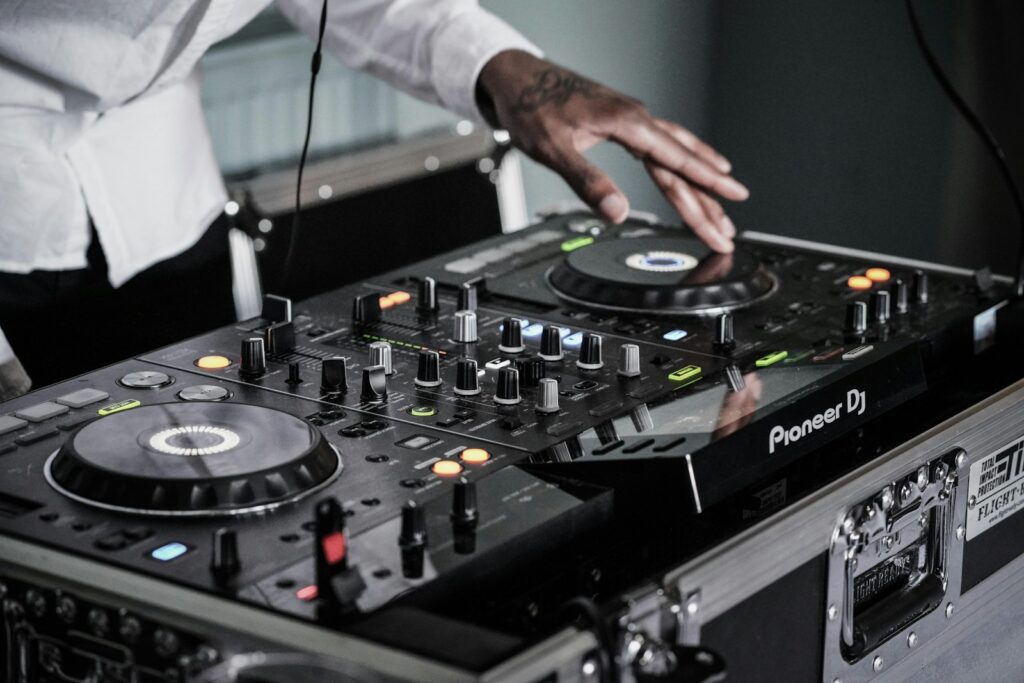
Walk into almost any booth today and you will find CDJs or standalone players rather than turntables and CDs. These players read your music directly from a USB stick, with your tracks, cue points and playlists exported from software such as rekordbox, Serato or Engine DJ. In other words, your USB stick has become your record box. Everything you might want to play on the night is stored on a device smaller than your thumb.
That convenience comes with a catch. If the stick fails, is too slow, or has not been formatted correctly, the problem plays out in public and in real time. A drive that freezes while a room full of people waits is every DJ’s worst nightmare, so the quality and reliability of the stick you choose matters far more than most people assume.
A few practical factors separate a stick that will see you through hundreds of gigs from one that lets you down on the first busy weekend.
This is the big one. Look for good quality flash memory and a solid casing that can survive being thrown into a bag, dropped on a booth floor and carried around for months on end. A metal USB stick tends to hold up far better than a flimsy plastic one, and the sturdier build is reassuring when the drive is carrying your entire set. It is also worth looking after your drives properly, and our top care tips for your flash drive will help them keep working for longer.
Modern tracks, high-resolution audio and the odd video file add up quickly. For most DJs a capacity of 32GB to 128GB gives plenty of room for a working library with space to spare. It is worth leaving some headroom rather than filling a stick to the brim, as an overloaded drive can slow down loading and analysis on the players.
To read reliably on club players, a stick usually needs to be formatted as FAT32 or exFAT and have your library exported through your chosen software. USB 3.0 drives are backwards compatible, so they will still work on older players while giving you faster performance on newer ones. Always prepare and test your stick at home before the gig rather than in the booth.
Faster read speeds mean quicker track loading and waveform analysis, which keeps your mixing smooth when you are digging for the next tune. A USB 3.0 drive with a good read speed makes a noticeable difference compared with a slow, older stick.
Ask any experienced DJ and they will tell you the same thing: never turn up with a single USB stick. Sticks fail, get lost, or occasionally will not read on a particular player, and if that is your only copy the night is over. Carrying a second, identical drive is cheap insurance against a very expensive problem. Many working DJs carry two or three.
As a minimum, your backup stick should hold:
Branding a DJ USB stick is not about showing off, it is genuinely useful. In a dark, busy booth with several DJs swapping over, a pile of identical black sticks is easy to mix up, and even easier to walk off with by accident. A custom stick printed with your name or logo is instantly recognisable as yours, which makes handovers cleaner and losses far less likely.
There is a professional upside too. Handing a promoter or venue a branded stick loaded with a promo mix or press kit looks far sharper than a scribbled-on generic drive. Light up USBs are particularly well suited to DJs, since the illuminated logo is easy to spot in a dark booth and adds a bit of stage presence when you are setting up. For more inspiration, take a look at our pick of the best custom and branded USB sticks.
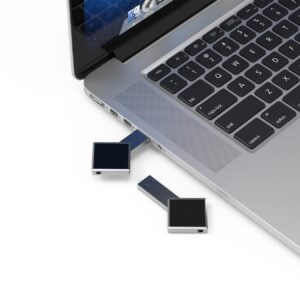
Different styles suit different jobs. The table below is a quick guide to which works best for what a DJ actually needs, and if you want a wider steer on specific drives, our flash drive recommendations round up some of our favourites.
| USB Style | Best For DJs | Why It Works |
| Metal USB | Everyday gigging library | Tough casing survives life in the bag and has a premium feel |
| Light Up USB | Dark booths and brand visibility | Illuminated logo is easy to spot and adds stage presence |
| Credit Card USB | Promo handouts and press kits | Slim enough to post easily, with a large area for artwork |
| Wooden USB | Limited-edition releases and merch | Natural, premium look that stands out on a merch table |
| Ball Pen USB | Backups and giveaways | Practical dual-purpose item that is easy to keep on you |
One of the most useful extras for DJs is free data loading. Rather than sitting and copying files across yourself, you can send us your tracks, mixes or press kit and we will load them onto the sticks before they ship, so they arrive ready to play straight out of the box. It is ideal for promo mixes to hand out at gigs, demos for promoters, or a batch of identical sticks prepared for a tour. Many suppliers charge for this, but at Flash UK it is included.
If you want a refresher on formatting, capacities and how flash storage actually works, our complete guide to USB sticks covers the technical basics in plain English.
You do not need to be a big brand to order custom USB sticks. We welcome small orders, which makes branded sticks realistic for individual DJs, not just labels and agencies. Every order includes free printing and free data loading, backed by our lowest price guarantee and a 10-year warranty, so your sticks look the part and keep working gig after gig.
Ready to sort your DJ USBs? Get in touch for a free quote and we will help you choose the right style, capacity and branding for the way you play.


